Our work.
Client websites and products we’re building. The story behind each one.

Client website
Vanguard Business Park.
Commercial space · Website, email & enquiries

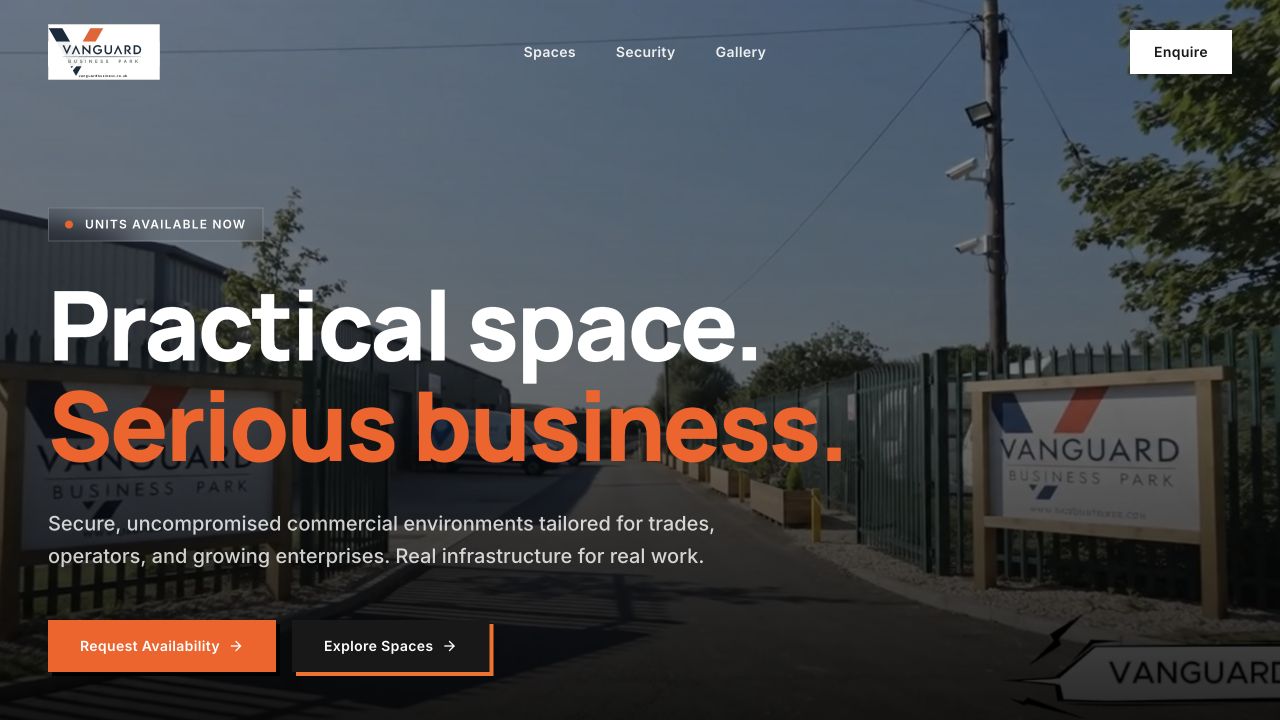
Help someone picture their next business space.
Choosing commercial space starts before a viewing. Prospective tenants need to understand the setting, see the spaces and find a clear way to ask about availability. Vanguard Business Park’s website brings photographs, space information and security details into that first conversation.
Build the route behind the pages.
We connected the website, domain, business email and enquiry route as one delivery. Feedback corrections and handover were part of the work, so the public presentation had a technical foundation behind it.
Make the next step clear.
This project shows how we approach a business website: organise the information around a customer’s decision, give the place its own visual identity and make contact easy. If your offer needs more explanation than a social profile can give, we can help shape that story.
Original website, domain, email and contact package, with the first feedback round delivered in August 2026.
Discuss your business website
Client website
7 Plus Minibus.
Cruise, airport & group transfers
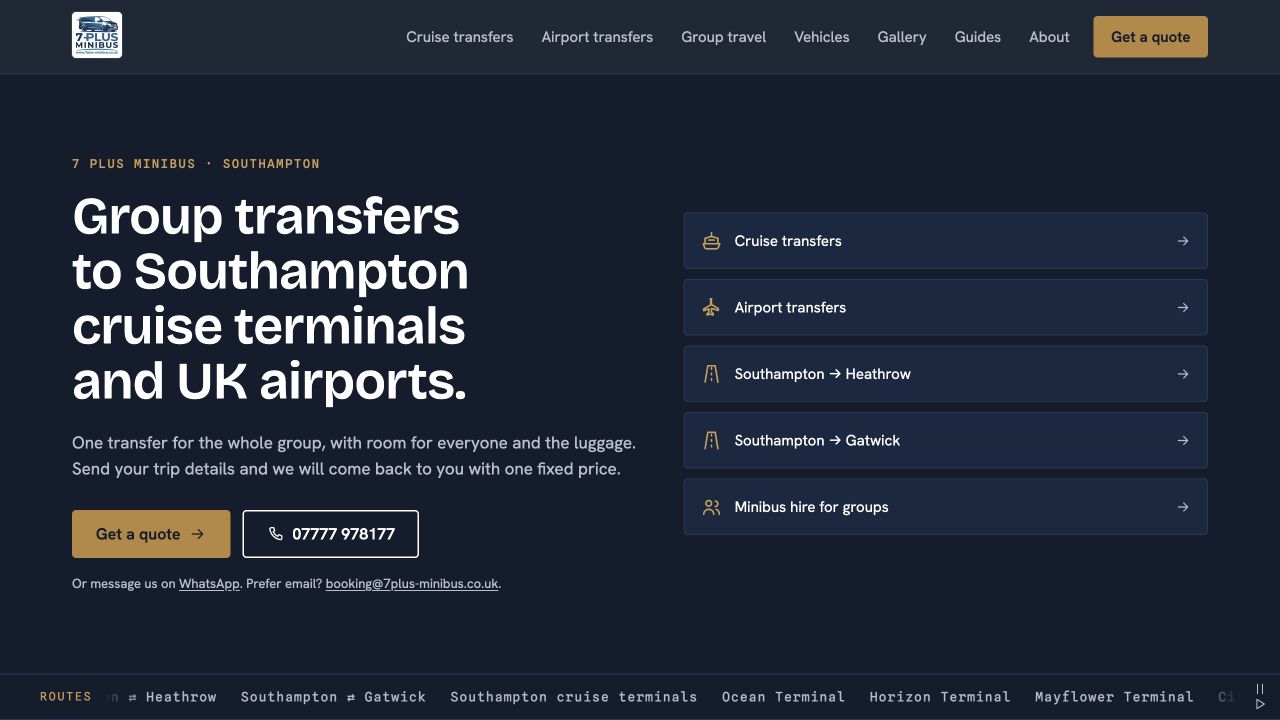
A group journey starts with practical questions.
Which terminal? Which airport? How will everyone travel together? We shaped the 7 Plus Minibus website around cruise, airport and group journeys, with Southampton transfers at the centre. Service and vehicle information helps visitors work out whether the business fits their plans.
Turn that interest into an enquiry.
The pages lead to a quote enquiry or direct contact with the business. Our original delivery combined the website and enquiry route with search setup and analytics on a client-owned technical foundation.
Design around how customers choose.
A transport website has to explain the service as well as show the vehicles. This work demonstrates our approach to service businesses: start with the customer’s situation, make the relevant information easy to find and offer a clear next step.
Original website and enquiry package handed over in September 2026. Later enhancements are separate from that delivery.
Discuss your service website
In-house platform · In development
FieldOps Taxi.
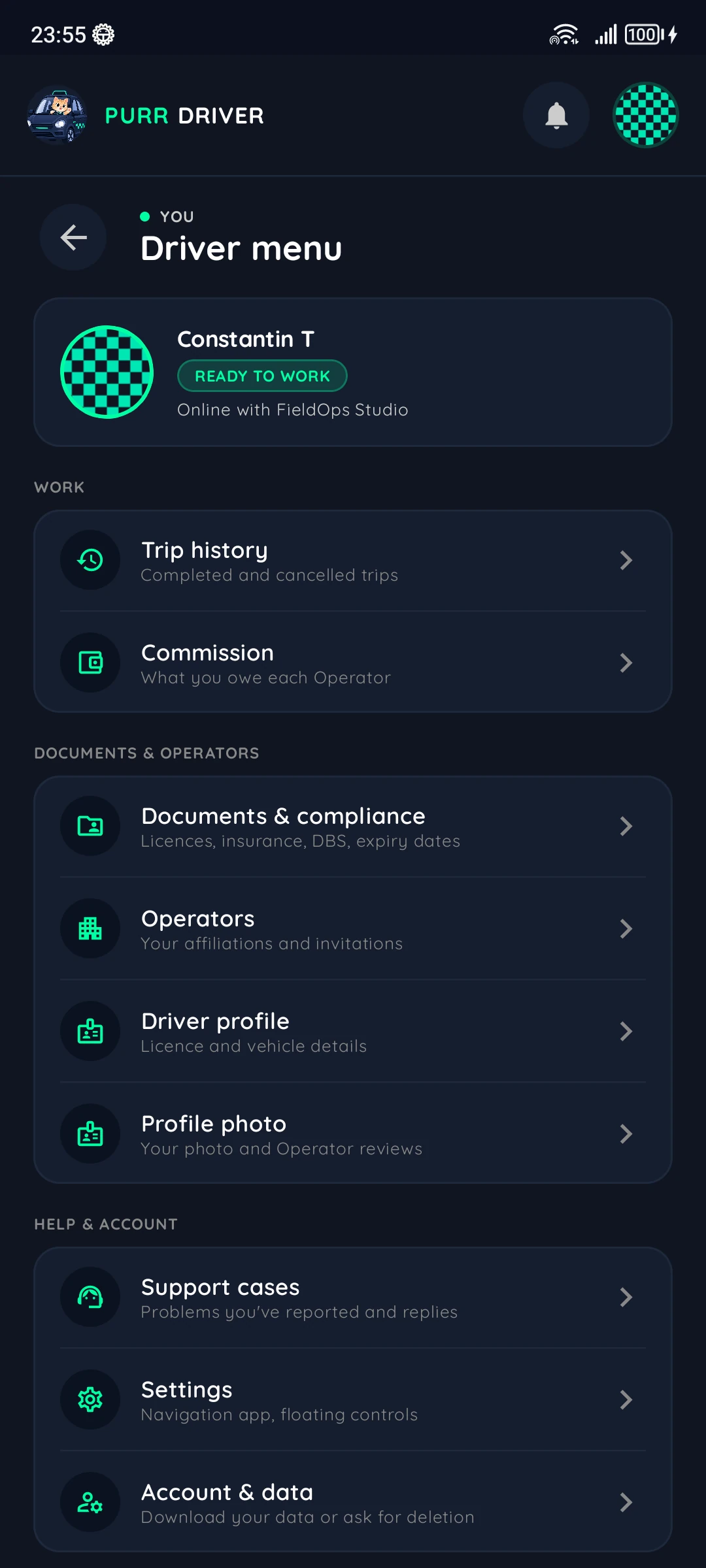
Rider, Driver and Operator views of one connected product.
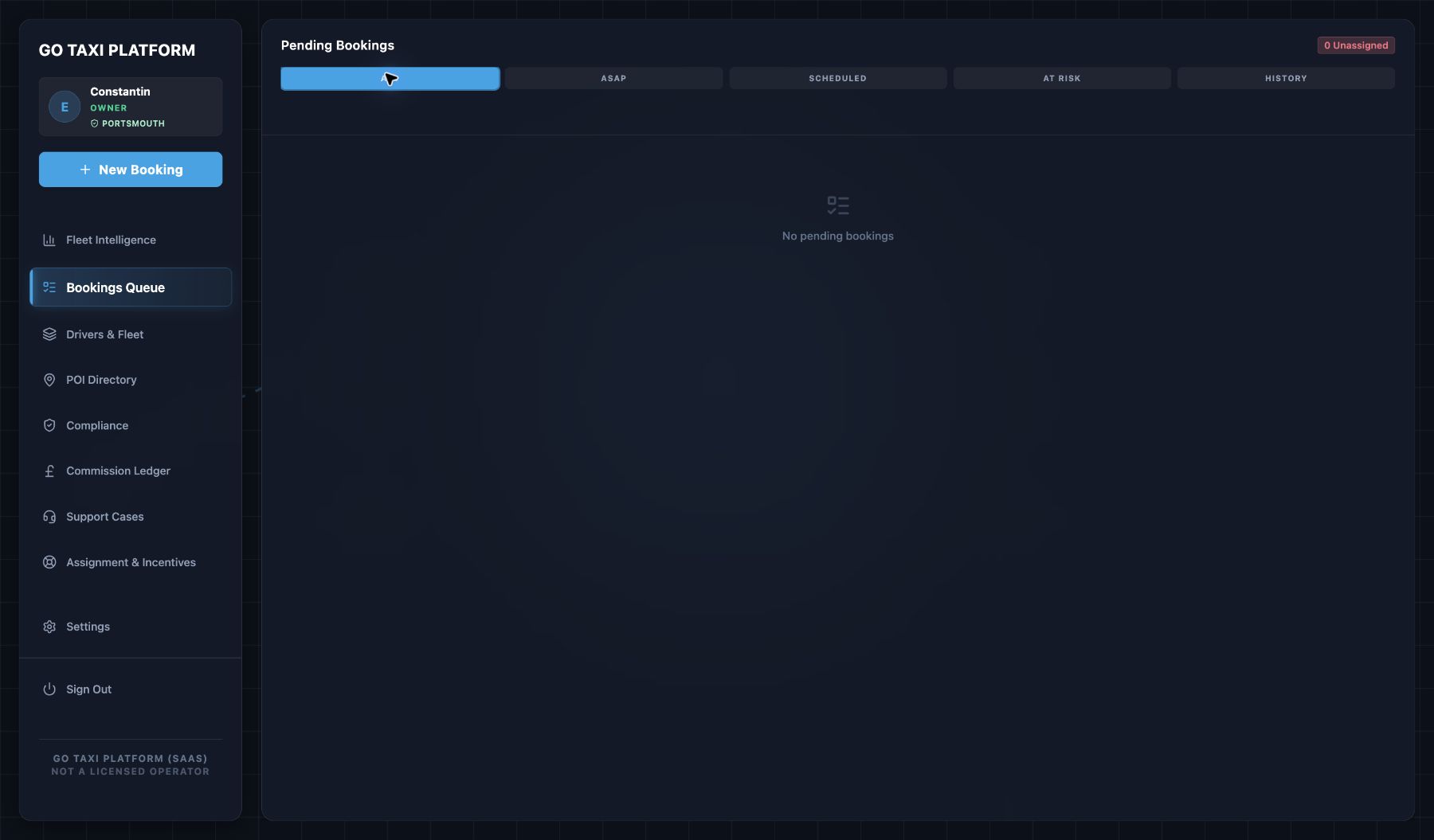
Operator web app
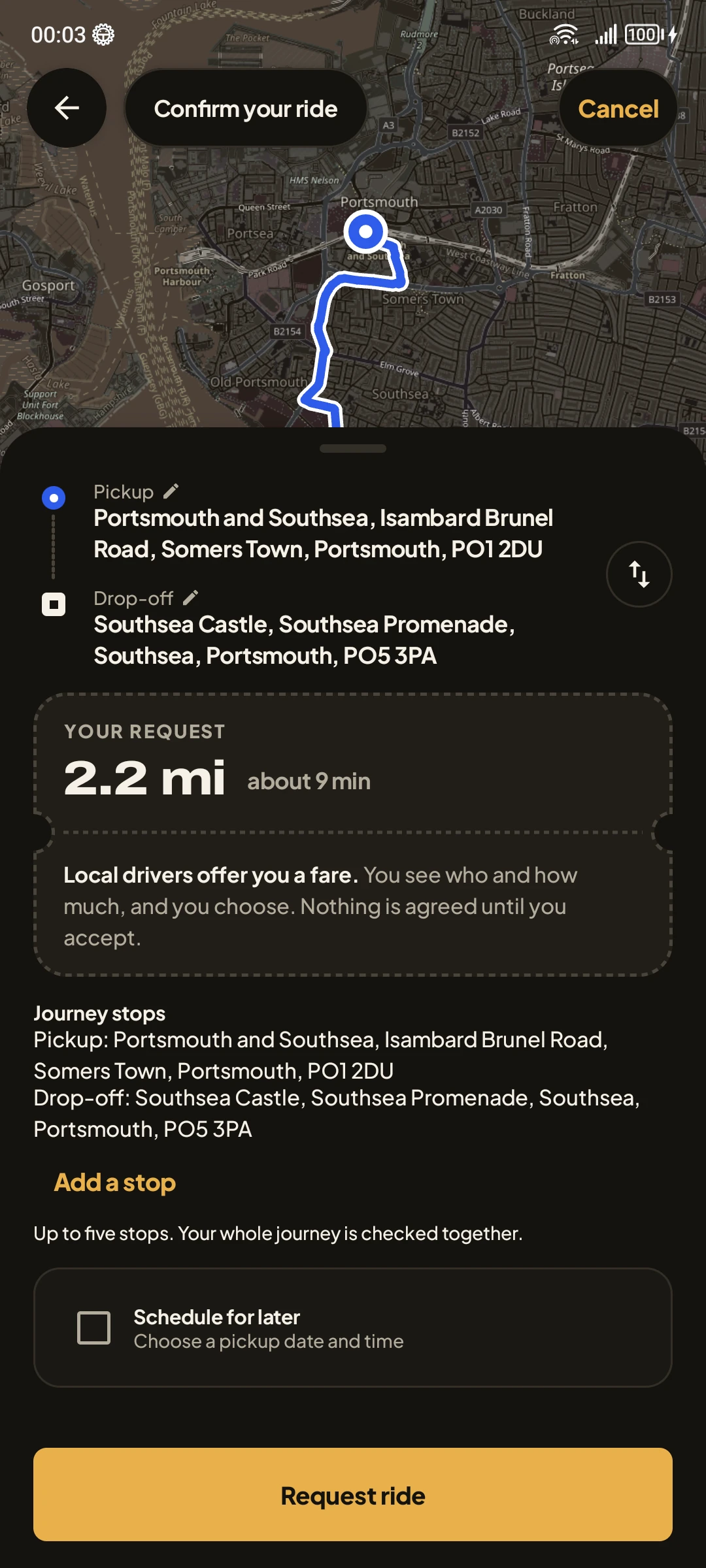
Rider, Driver and Operator interfaces
Different roles. A connected booking system.
A Rider can prepare a pickup for themselves or someone else. A Driver needs clear job details and a booking contact. An Operator prepares bookings and reviews Driver applications. FieldOps Taxi is our connected platform in development, with a focused interface for each role and a shared backend for booking and dispatch logic.
Design the system as well as the screens.
The work spans mobile apps, an Operator web workspace and backend contracts. Company boundaries and private media controls sit behind the interface, alongside the rules that connect booking and dispatch. The separate interfaces show how each role fits into the product we’re developing.
Bring connected product work into view.
This project shows the range we can bring to a product that crosses devices and roles: interface design, Android development, web applications and backend logic. If your business process moves between people and systems, we can help define the interfaces and the rules that need to connect them.
- RiderPlan a pickup for yourself or someone else, with trip updates kept in your account.
- DriverReview work and vehicle details, with the booking account identified for communication.
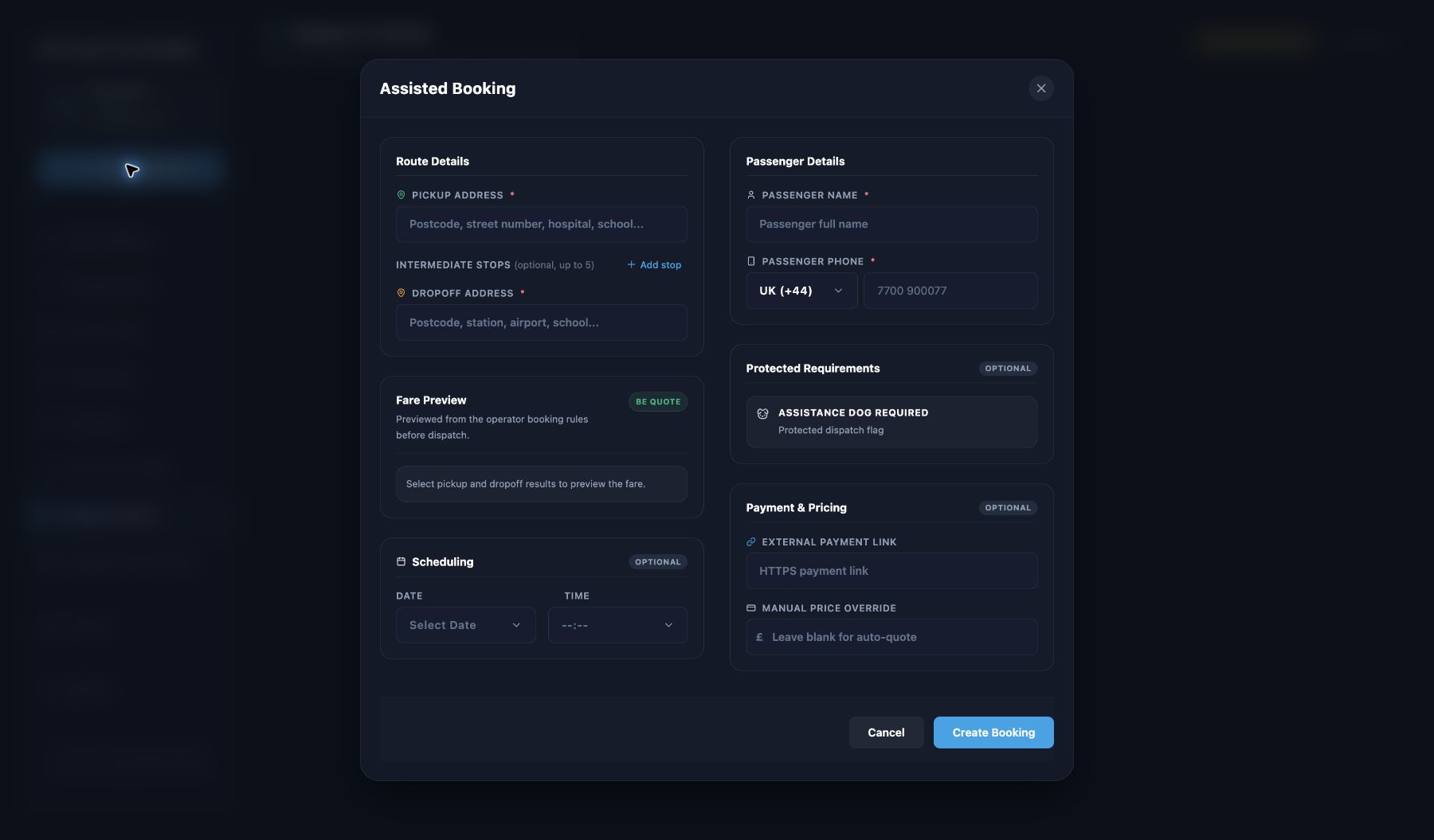
- OperatorPrepare bookings and review Driver applications within the company workspace.
- BackendBooking and dispatch contracts, company boundaries and private media controls.
Platform in development. Separate product previews are shown.
Discuss a connected platform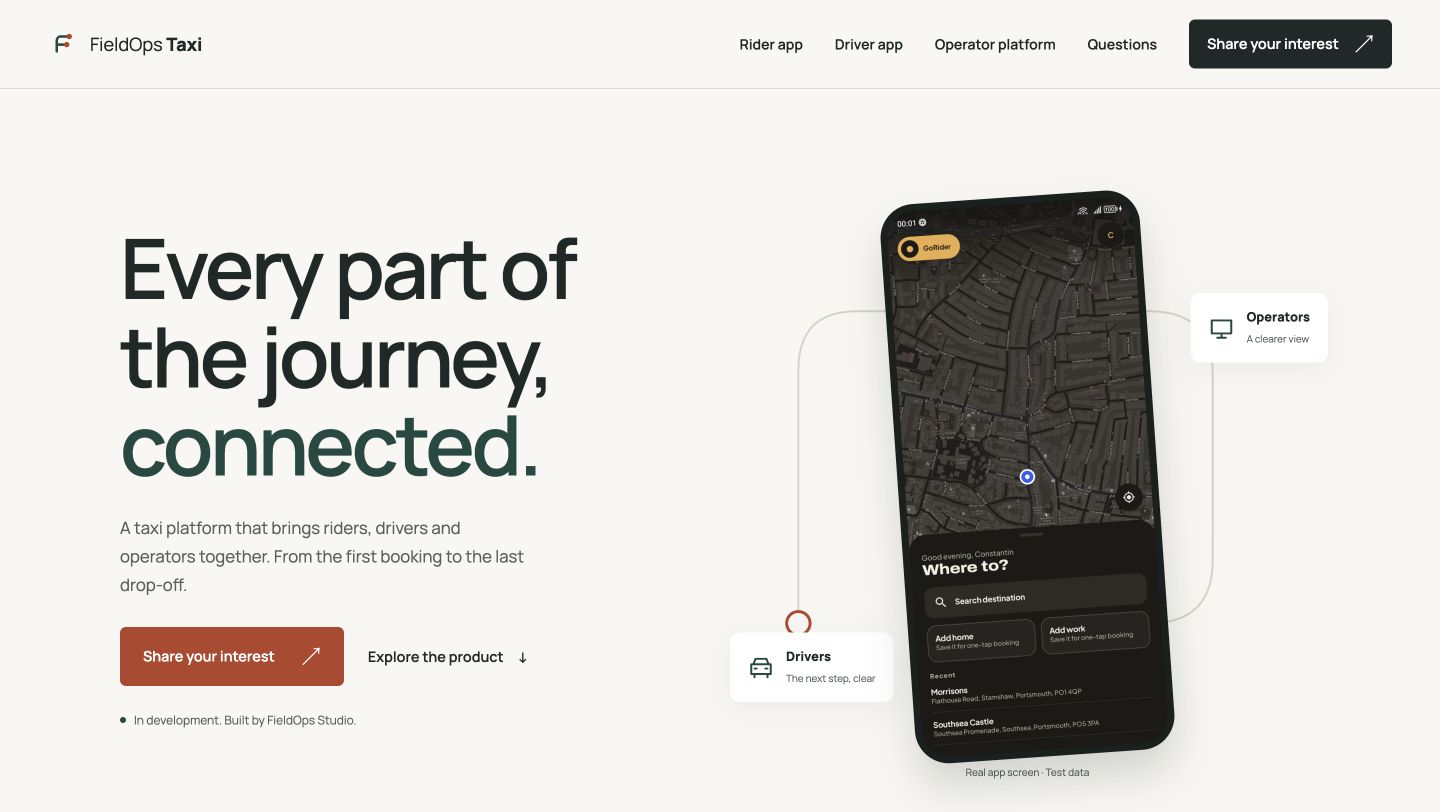
Introducing the product.
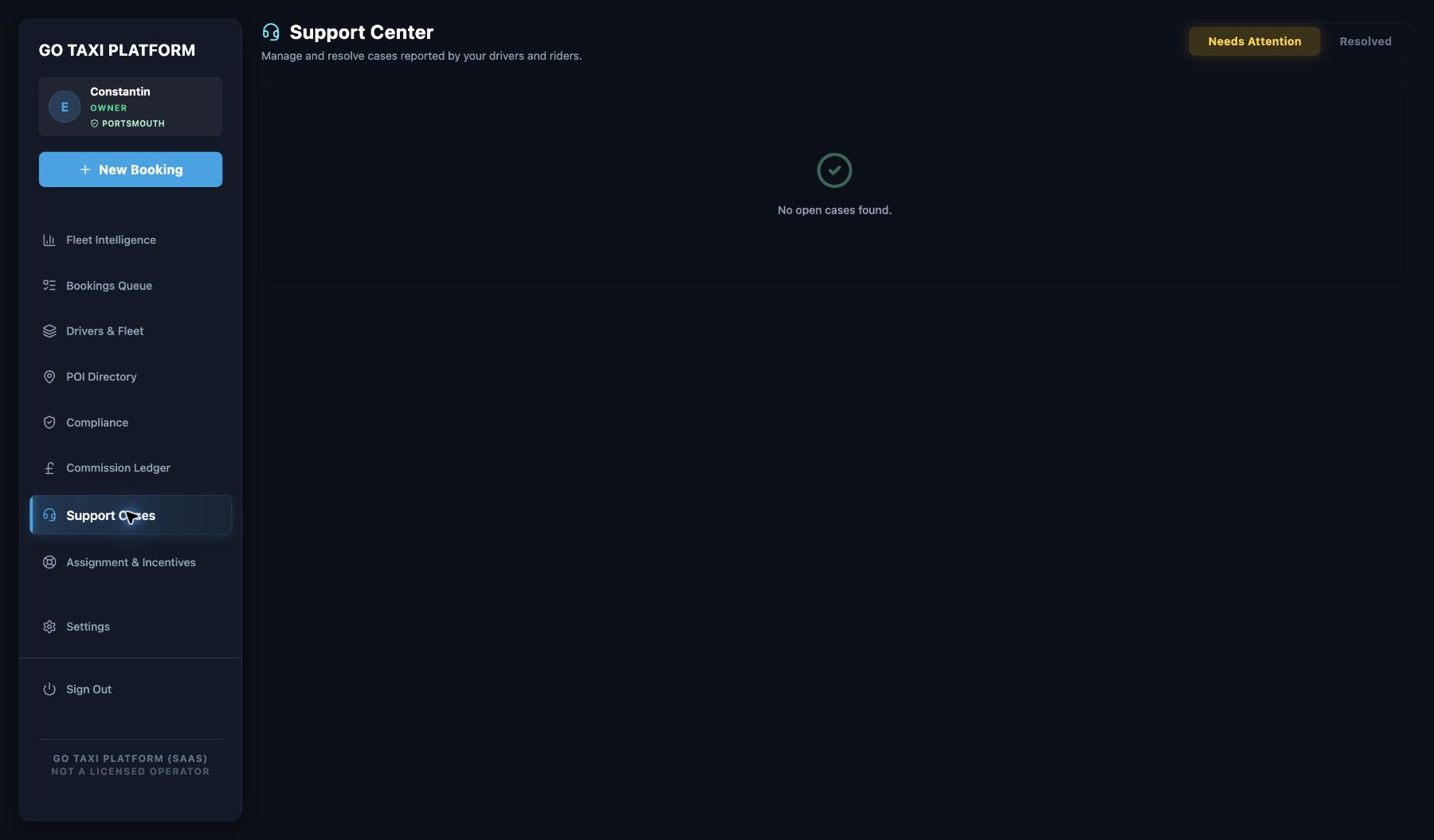
Working with the bookings.
The Taxi marketing website tells the product’s story and introduces its roles. The Operator web app is the workspace for booking queues, company administration and support. Each has its own address and purpose.
See the real Operator booking and support screens

In-house Android app · Development & testing
PurrMiles.
A driver logbook built around daily record keeping.
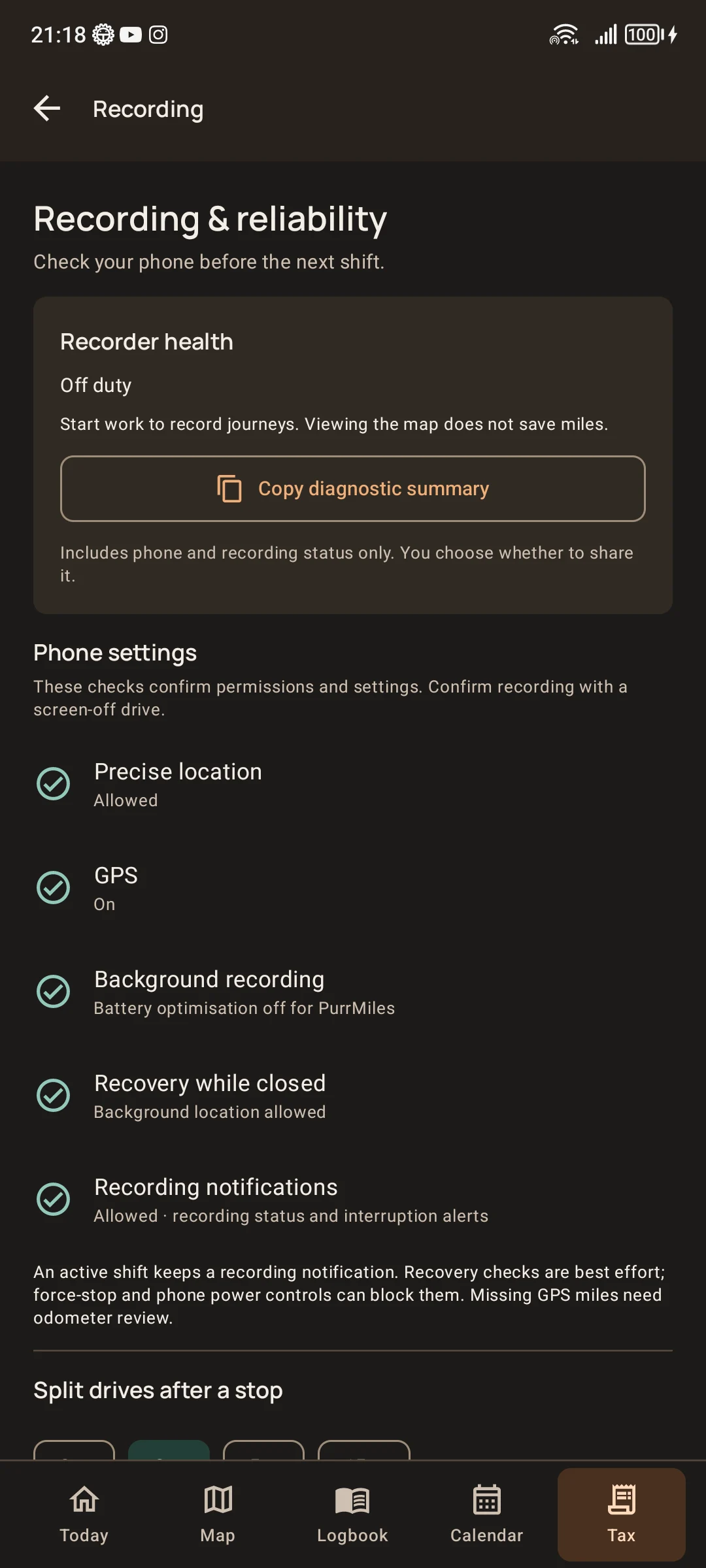
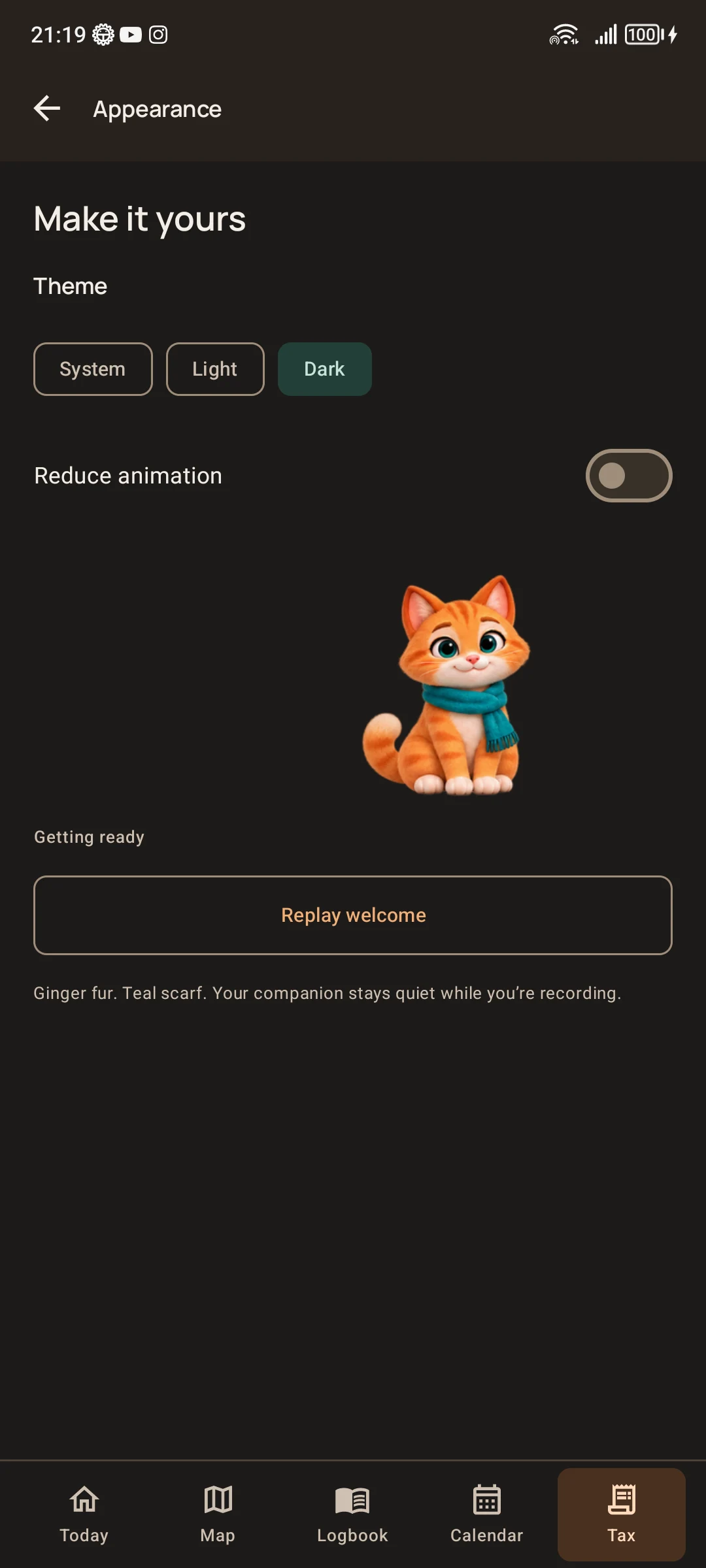
Recording settings and appearance
Built around the working day on the road.
Journeys, shifts and mileage are connected, but reviewing them can become a separate job after the driving is done. PurrMiles is a local Android logbook in internal testing, shaped around a working driver’s daily record keeping.
Give the records a useful structure.
A shift begins and ends with an odometer reading. Journey cards put a route beside its record, with gaps visible for review. Business and personal classification, local reports and backup controls extend the workflow. Current phone screenshots show recording checks and appearance settings without exposing journey records.
Start with the routine that needs attention.
PurrMiles shows how we turn a specific working routine into an app: connect the records, make the controls understandable and test the behaviour on a real device. If your team has a repeated task that deserves a purpose-built tool, that is a useful place to start a conversation.
In development. Real-journey recording and background reliability testing is pending. Existing dark theme retained. These are settings screens; private logbook records are not shown.
Discuss a purpose-built app
In-house creative project · Playable Android prototype
Star Jump.
Drawing-led Android pilot
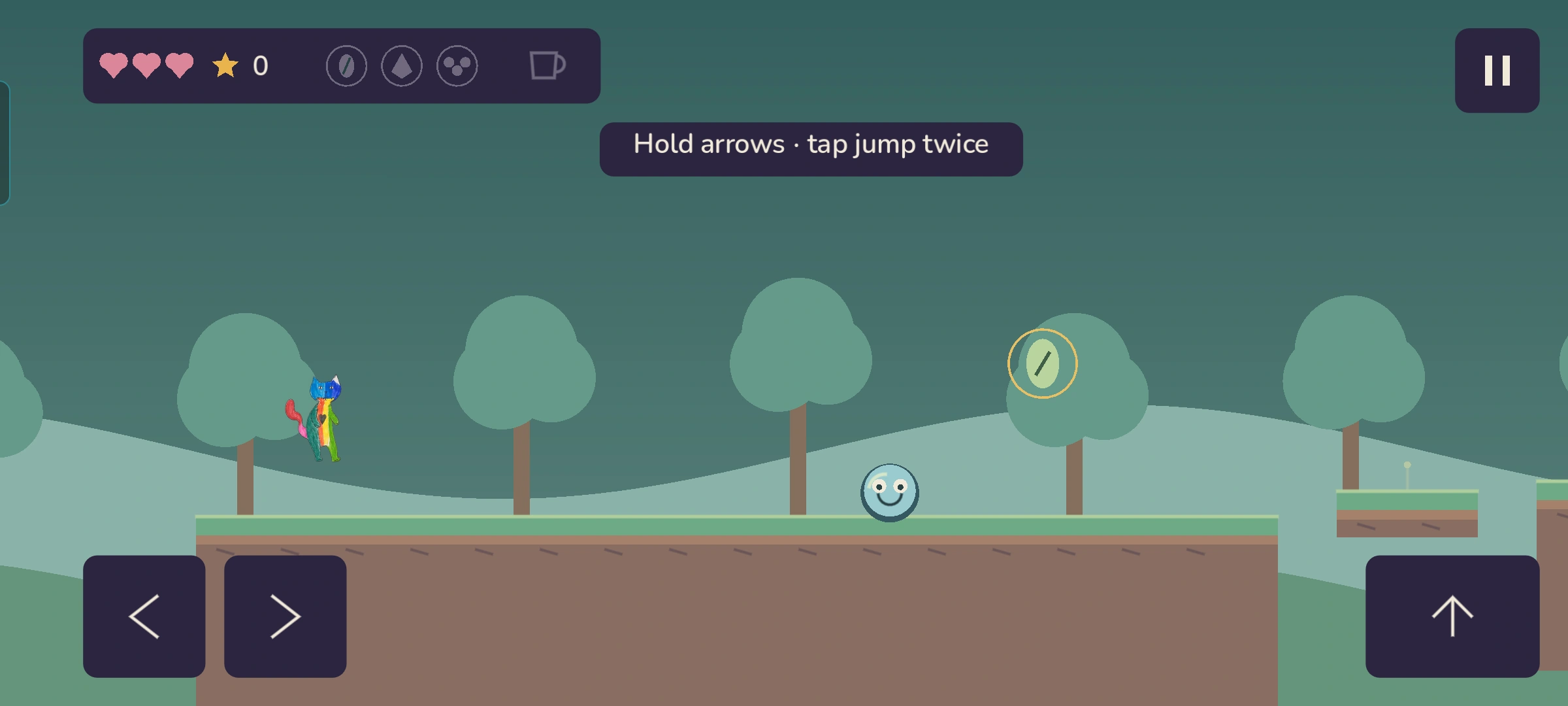
Star Jump · Android gameplay
A drawing becomes something you can play.
Star Jump began with hand-drawn characters and a game idea. We adapted the characters into animated sprites and built a playable Android game pilot around them. The project brings artwork, movement and game rules together on a real phone.
Make the action readable.
In the current pilot, Colour Cat can return incoming boss bubbles with umbrella power. The boss signals its aim before firing, leaving a window for a jump attack. Critters react to bounces, and fragile platforms crack before breaking.
Those details give the player information through animation and timing. They are part of designing how a game feels, alongside the code that makes it run.
Give an original idea room to move.
This is the creative side of FieldOps: taking a visual idea into sprites, interaction and a playable prototype. We can discuss interactive ideas with something tangible to show, while keeping the remaining testing and development clear.
One-level Android pilot. Further gameplay, device and performance testing is pending.
Discuss your interactive idea
Android app · Private testing
FieldOps Cards.
Your next introduction, ready to share.
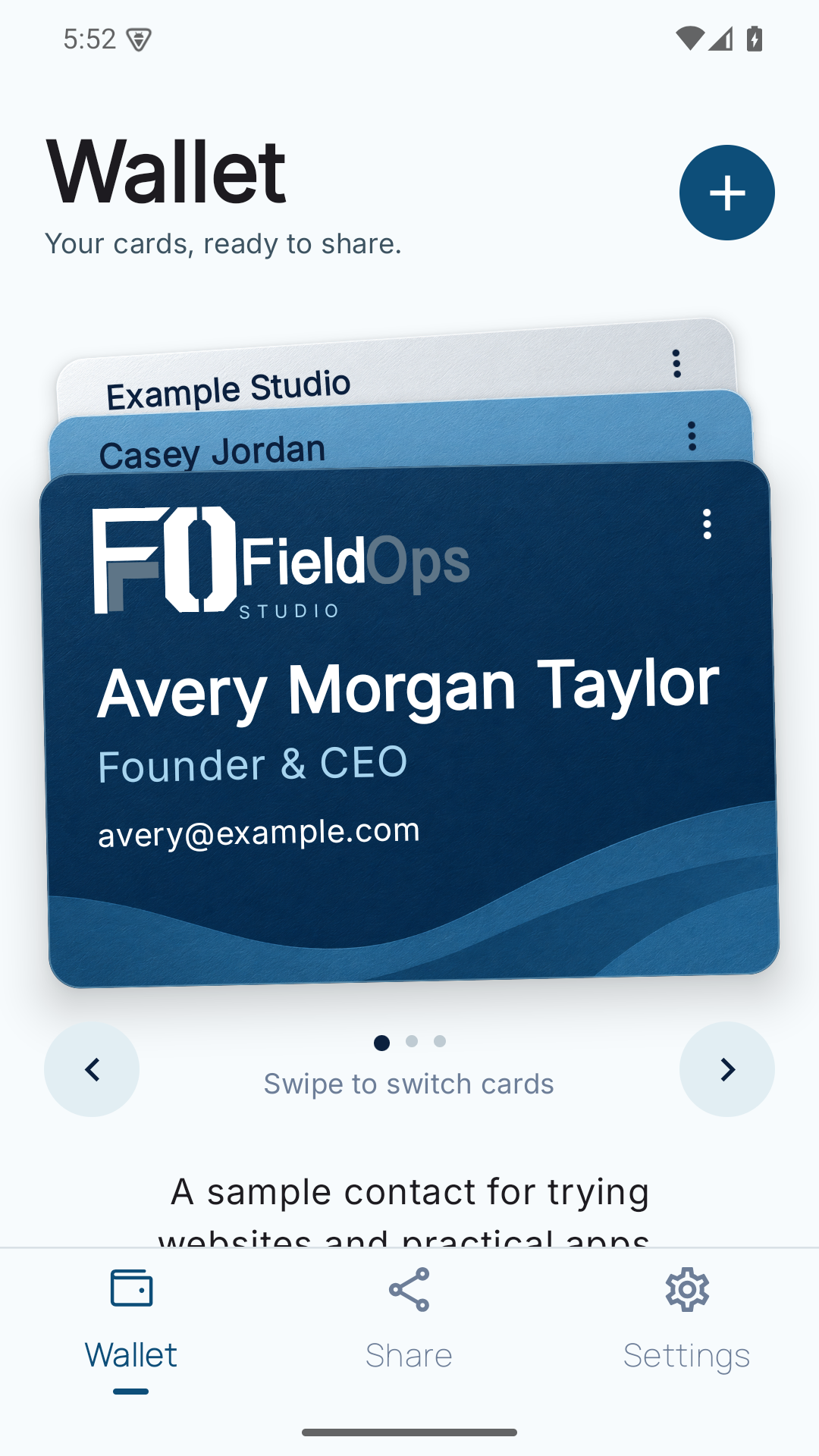
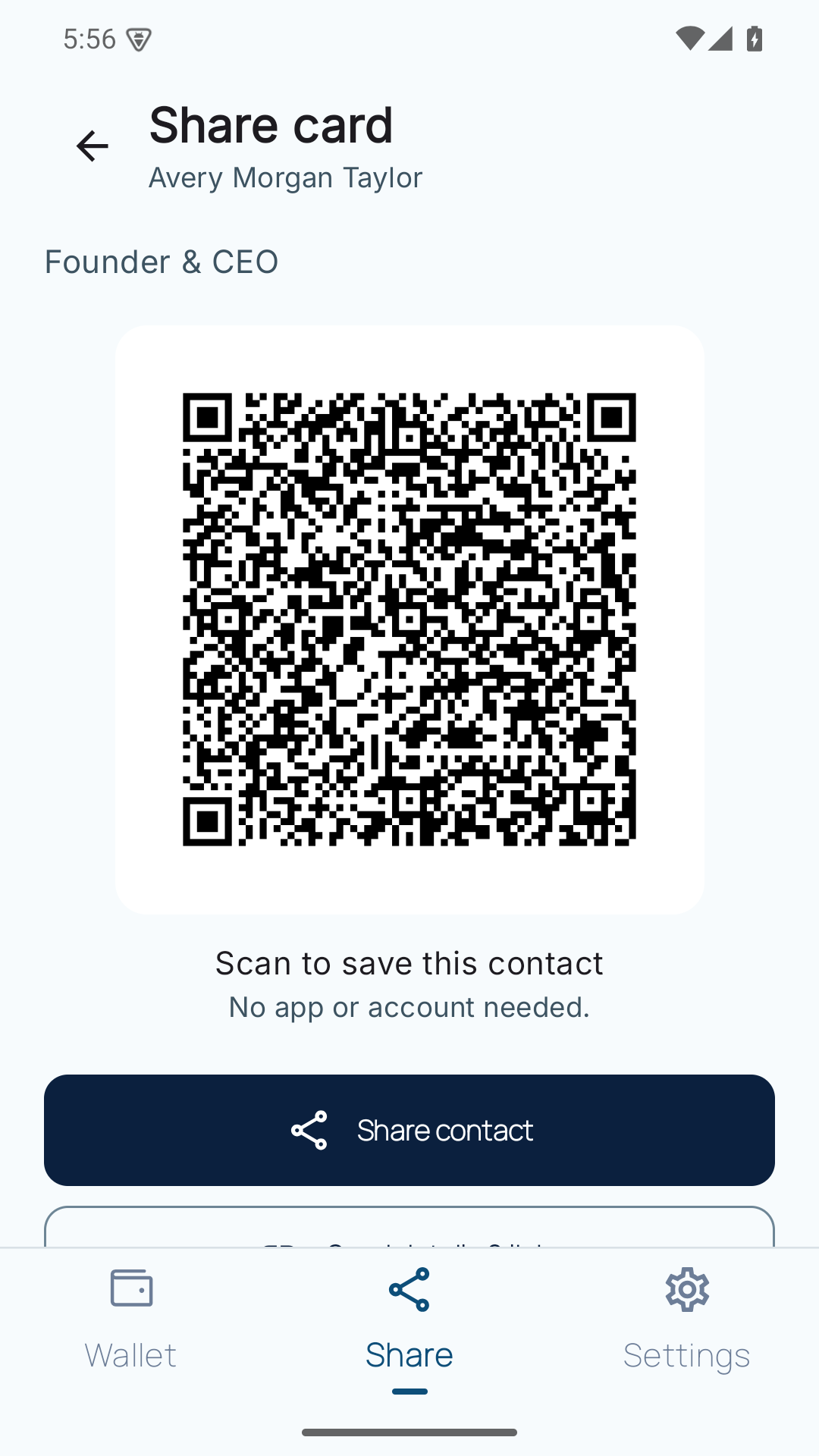
Sample contact cards
Choose the details that fit the conversation.
Keep separate contact cards for your work, projects or different roles. Edit the details and preview the card you want to share.
Navy, mineral-blue and silver styles give the wallet its own character while keeping your selected card in view.
Preview it. Then pass it on.
Show a contact QR code, share a contact file (.vcf), or send a QR image, readable details and links through Android's sharing menu. The preview uses a sample contact card.
Your cards and appearance settings stay on the device. This version has no account or cloud sync; uninstalling the app can remove locally stored cards.
Android · Version 0.1.3
Ask about Cards testing