
MVP scope
Define the smallest useful version: core users, core workflow, essential data, and what can wait.
Booking systems, admin dashboards, operations tools, client workspaces, forms, and small business systems. Built with clear scope, staged delivery, safe hosting, and realistic timelines.
Discuss your workflow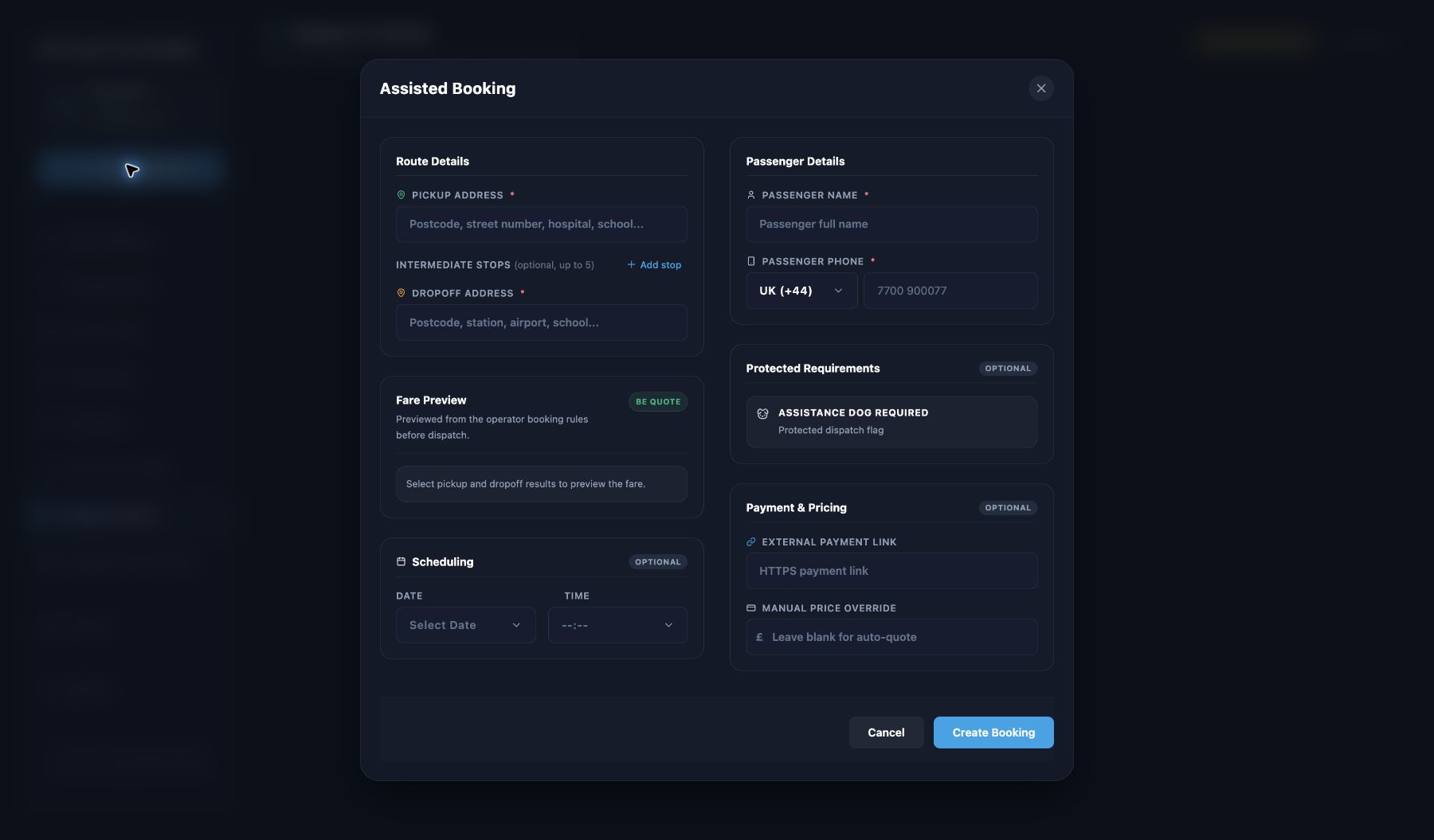
Useful when your business needs admin tools, dashboards, booking flows, client portals, forms, or data workflows built around how you actually operate.
Admin tools: Internal dashboards, task views, project trackers, and workflow screens.
Bookings and forms: Intake, scheduling, confirmations, multi-step forms, and structured submissions.
Client portals: Scoped workspaces for agreed files, status updates, or project information.
Data workflows: Store, filter, review, export, or connect business data where a generic tool is not enough.
A web app should start with a focused first version, not an endless wish list.
Define the smallest useful version: core users, core workflow, essential data, and what can wait.
Plan data structure, forms, admin screens, user actions, and how information moves through the tool.
Show key records, statuses, filters, reports, and operational signals in a way your team can use.
Connect to other tools where the integration is available, stable, documented, and worth the complexity.
User access, safer admin routes, validation, backups, and hosting notes are planned with the app.
Deployment, maintenance notes, support expectations, and future improvement routes are documented.
1. Discovery: We understand the workflow, pain points, data, users, and what success means.
2. Planning: We map the first useful version before coding starts, including what is excluded.
3. Staged build: Core features first, then review, feedback, and refinements before the next stage.
4. Launch: Release when the core works reliably. Additional features can follow as scoped improvements.
Workflow detail: How people do the work today, including awkward steps and exceptions.
Example data: Realistic records, documents, fields, files, and reports that show how the app needs to behave.
Priorities: Features ranked clearly so launch does not wait for everything at once.
Feedback time: Regular review from the people who will actually use the tool.
To keep projects moving smoothly, we rely on you for a few key things.
Content & assets: Providing text, images, and business information.
Timely feedback: Reviewing work and giving prompt feedback during staged builds.
Account ownership: Accessing and owning your domain, hosting, email, and business accounts where possible.
Final decisions: Making final decisions on wording, legal content, and business claims.
For clarity, here are a few things we do not cover by default.
Content creation: Legal advice or copywriting, unless agreed upfront.
Open-ended changes: Unlimited revisions after the agreed scope.
Marketing: Guaranteed Google rankings or paid ads management.
Unsafe access: Handling passwords through unsafe channels (e.g. plain email).
Custom apps take longer than websites. That is normal. The safe route is a staged MVP with honest scope.
Yes. FieldOps Studio can build scoped admin tools, booking systems, dashboards, forms, and internal workflow tools when requirements are clear.
A website mainly presents information. A web app usually stores data, manages workflows, handles users, or connects to other systems.
Yes, where suitable. A web dashboard and Android app can share data through an API when that architecture is planned safely.
Payments, user roles, file uploads, notifications, reporting, and third-party integrations need explicit planning before they are included.
Tell us what you’re building or what needs to work better.
Start a conversation